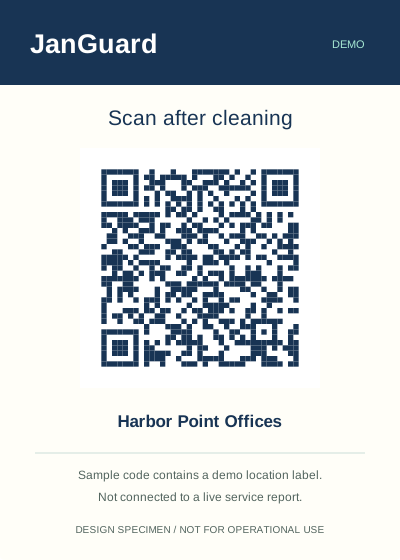
Schedule your own crews and your subcontractors in one place. Every visit ends with a QR report from the building, and anything without one gets flagged as missed. Inspect the work, then let your clients see it in their own portal.
Compare an owned-crew visit with a vendor visit. The schedule shows what was reported and where attention is needed.
JanGuardINTERACTIVE EXAMPLE · SAMPLE DATA
Evening operations
Crescent Property Group
September 21, 2026 · Illustrative workflow
2/3visits reported
Choose a building
Floor 2 · Common areasCompleted
Harbor Point Offices
Chicago, IL · America/Chicago
Assigned to
Northside Cleaning
Completion deadline
11:00 PM CT
Report received
10:42 PM CT
Photo attachments
3 example photos
A submitted report links the visit to its service record. Photos are attached by signed-in crew members.
Reception · CorridorMissed
Riverside Medical Plaza
Denver, CO · America/Denver
Assigned to
Brightway Crew
Completion deadline
11:30 PM MT
Report received
No report received
Photo attachments
0 example photos
No report was received before the deadline. A missed flag calls for follow-up; it is not independent proof that nobody cleaned.
Building C · LobbyCompleted
Oakline Business Park
Austin, TX · America/Chicago
Assigned to
Northside Cleaning
Completion deadline
11:00 PM CT
Report received
10:18 PM CT
Photo attachments
2 example photos
A submitted report links the visit to its service record. Photos are attached by signed-in crew members.
Built into the work
One place for the crews, the buildings, and the proof
Build a record your team and your clients can use.
01
Schedules for crews and subcontractors
Set recurring schedules for each building and assign each one to your own crew or to a vendor company. Each team sees the visits assigned to it.
02
A QR report from every visit
Cleaners scan the building's QR code and fill out the report in the phone's browser. There's no app to install, and a report can go in without a login.
03
Missed cleanings flagged
A visit with no report by its deadline is marked missed, and your team gets an email. You find out before the client does.
04
A portal for each client
Invite property managers to their own portal. They see completed visits, service reports, and inspections for their buildings, and they open tickets there.
05
Pipeline and quotes
Move prospects through your sales pipeline, price a building with the instant quote tool, and send the prospect a link to the quote.
06
Import from spreadsheets
Bring clients, contacts, buildings, areas, schedules, and vendors over from CSV files instead of typing them in one at a time.
01 / Subcontractors
Run subcontracted buildings like your own
Invite each vendor company into JanGuard and assign schedules to it. The vendor's people sign in, see the visits assigned to them, and submit the same QR reports your own crews do. Their completed and missed visits show up next to everyone else's.
Vendors join by invite from your account
Each vendor sees the work assigned to it
Missed visits are flagged the same way for every crew
The setting is illustrative. The workflow is what matters.
02 / Quality
Inspect the work, then show the client
Supervisors run inspections on their phones from templates you build. They score each item and add photos as they go, and low scores become deficiencies to fix. Share the finished inspection with the client so the good scores count for something at renewal time.
Inspection templates with scored items
Deficiencies from low scores, tracked until resolved
A share link for each finished inspection
The setting is illustrative. The workflow is what matters.
03 / Time clock
Know who was actually at the building
Staff clock in and out on their phones. Once a worker agrees to share location, JanGuard records where each clock-in happened. With the time clock open in the phone's browser, it clocks them in when they arrive inside a building's boundary. Admins approve submitted hours and see open shifts on a live map.
Workers give consent once, and the consent is logged
A boundary you set around each building
Hour approvals and a live map of open shifts
The setting is illustrative. The workflow is what matters.
See what comes out of the work
Build a record your team and your clients can use.
No. Every plan includes unlimited users, so you can add every supervisor, cleaner, and subcontractor. The pricing page lists the plans.
Can my subcontractors use it?
Yes. Invite a vendor company and assign schedules to it. The vendor's team sees and completes the visits assigned to them, and you see their reports alongside your own crews'.
Do my cleaners need to install an app?
No. JanGuard runs in the phone's browser. Scanning a building's QR code opens the cleaning report, and cleaners can submit it without a JanGuard login.
Can I bring my existing data over?
Yes. The import center takes CSV files of clients, contacts, buildings, areas, schedules, and vendors, so you can move over from spreadsheets without retyping everything.
How does the free trial work?
You get a 30-day free trial. You add a card to start the trial, and billing for the plan you chose begins when the trial ends.